

Understand user roles
Your role decides what you can see and change in the RMP. Read this before you invite your team, so everyone gets the access they need.
Two kinds of role
Everyone can have a role at two levels:
A project role can give someone more access than their organisation role, but never less.
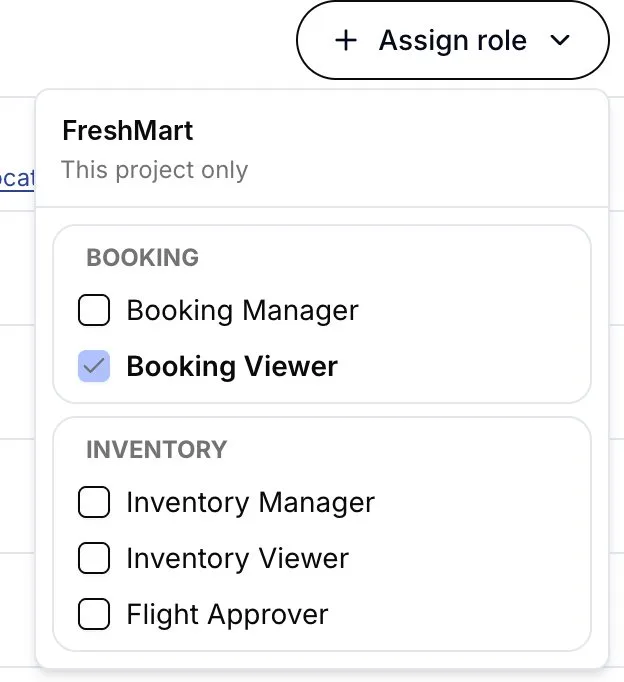
Admin is an organisation role only. You can’t assign it in a project.
See your own roles
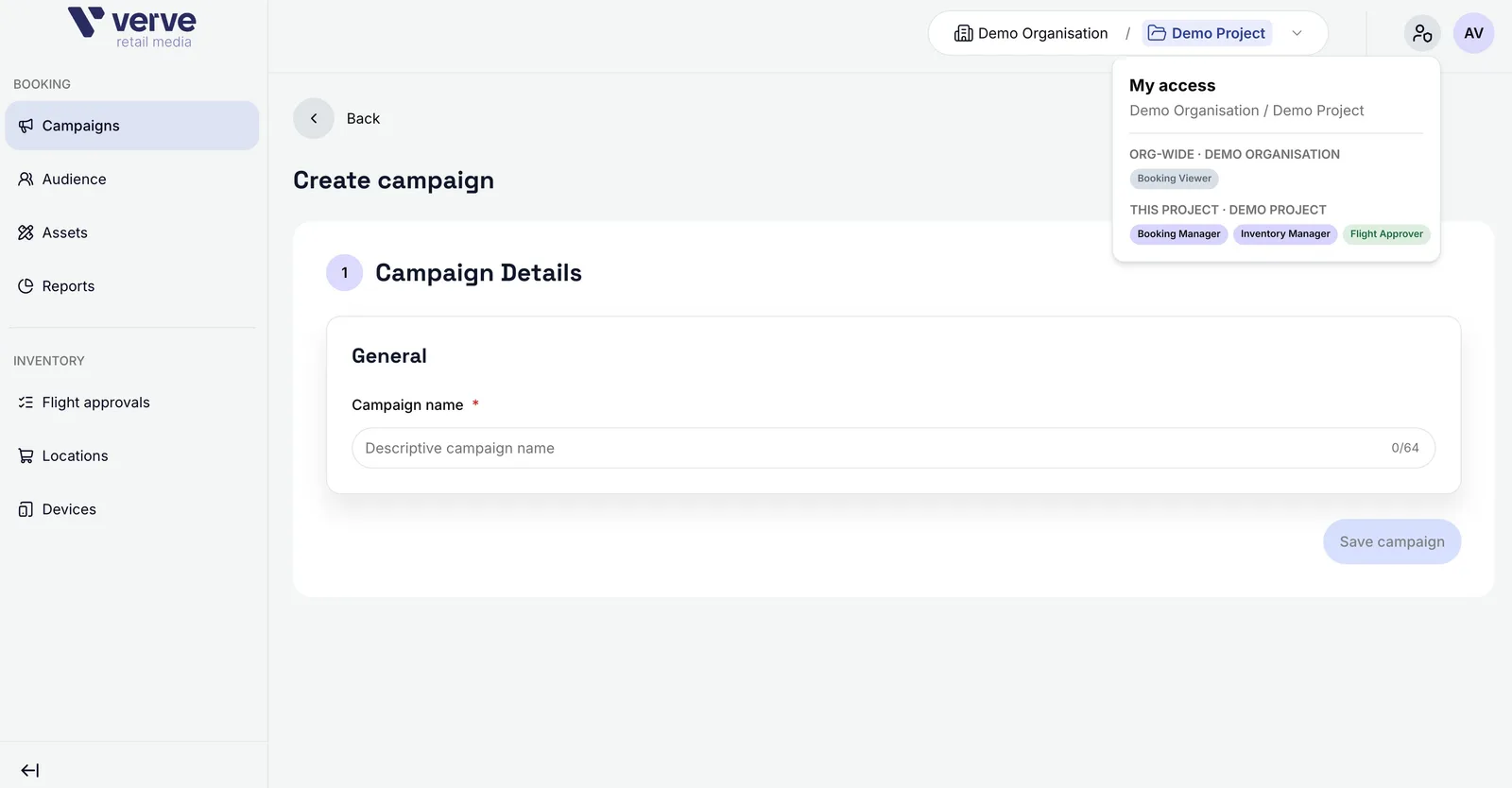
- 1Move the mouse over the person icon in the top-right corner, next to your initials.
- 2My access shows your roles: Org-wide roles, which apply to every project, and roles for This project only.
 12
In this example you’re a Booking Viewer in the whole organisation, and a Booking Manager, Inventory Manager and Flight Approver in this project.
The six roles
Creates and manages campaigns and flights.
- Create and edit campaigns and flights
- Submit flights to partners for approval
- Pause, terminate or change live flights
- Create and edit audiences
- Upload and edit creatives
- See campaign and flight reports
Follows campaigns without changing them.
- See campaigns, flights and their status
- See delivery and performance in Reports
- See assets and audiences
- Edit anything or add new items
Sets up and looks after locations and devices.
- Add new locations and devices, and edit existing ones
- Set up new devices that are waiting to be configured
Sees locations and devices without changing them.
- See location and device settings
- Edit them or add new ones
Reviews flights before they go live.
- Approve or reject flights booked on their devices
- Ask for changes when something isn’t right
Runs the organisation and its projects: people, roles, service accounts and settings. Can also book campaigns and approve flights.
- Everything a Booking Manager can do
- Approve flights or ask for changes
- Invite people, remove them and change their roles
- Manage organisation and project settings, and service accounts
- Add or edit locations and devices. For this, an Admin also needs the Inventory Manager role
What each role can do
Edit = create and change · View = see only · – = not part of this role
| Area | Booking Manager | Booking Viewer | Inventory Manager | Inventory Viewer | Flight Approver | Admin |
|---|---|---|---|---|---|---|
| Campaigns & flights | Edit | View | – | – | – | Edit |
| Flight approvals | Submit | – | – | – | Approve | Submit and approve |
| Audiences | Edit | View | – | – | – | Edit |
| Assets | Edit | View | – | – | – | Edit |
| Reports | View | View | – | – | – | View |
| Locations | – | – | Edit | View | – | – |
| Devices | – | – | Edit | View | – | – |
| Project settings | – | – | – | – | – | Edit |
An Admin has no access to locations and devices. An Admin who also works with them needs the Inventory Manager role as well. For all rules, see Organisation and project roles.
← Understand organisations and projects