

Asset rotation
Understand how the RMP chooses between the assets of a flight, why the choice is random and what that means for your results.
What it’s for
A flight can hold several assets. Asset rotation is how the RMP chooses between them. Each time your flight plays on a device, the RMP picks one of the assets that fit this device, at random.
Rotation keeps a flight fresh when you have several versions of an ad, for example an image and a video, or two different motifs.
In short
- One playout shows one asset.
- The choice is random, and every fitting asset has the same chance.
- Only assets in an ad format that the device accepts take part.
- You can’t set an order, a share or a winner. Rotation is not an A/B test.
How it works
When a device asks for an ad and your flight is chosen, the RMP goes through two steps:
- It keeps the assets that fit. Each asset in a flight is booked for one ad format. Assets in a format that the device doesn’t accept are left out.
- It picks one at random. All assets that are left have the same chance. The choice is made again for every playout, and it doesn’t look at what played before.
Example: your flight has a horizontal image, a horizontal video and a vertical video. A horizontal screen that accepts both horizontal formats shows the image in about half of its playouts and the video in the other half. A vertical screen always shows the vertical video.
Random doesn’t mean equal
Over many playouts, the assets on one device play about equally often. Over a few playouts, they often don’t: the same asset can play two or three times in a row. And because devices accept different ad formats, the totals of your assets in the whole flight can be very different.
When assets rotate, and when they don’t
| Your flight has | On one device |
|---|---|
| One asset | No rotation. The device always plays this asset, if it fits. |
| Several assets, each in a different ad format, and the device accepts one of them | No rotation. The device always plays the asset that fits it. |
| Several assets in ad formats that the device accepts | Rotation between these assets. |
| An image and a video that both fit the device | Rotation between the image and the video. |
| No asset in an ad format that the device accepts | The device doesn’t play your flight. |
How to use it
There is no setting for rotation. It starts by itself when a flight has more than one asset that fits a device.
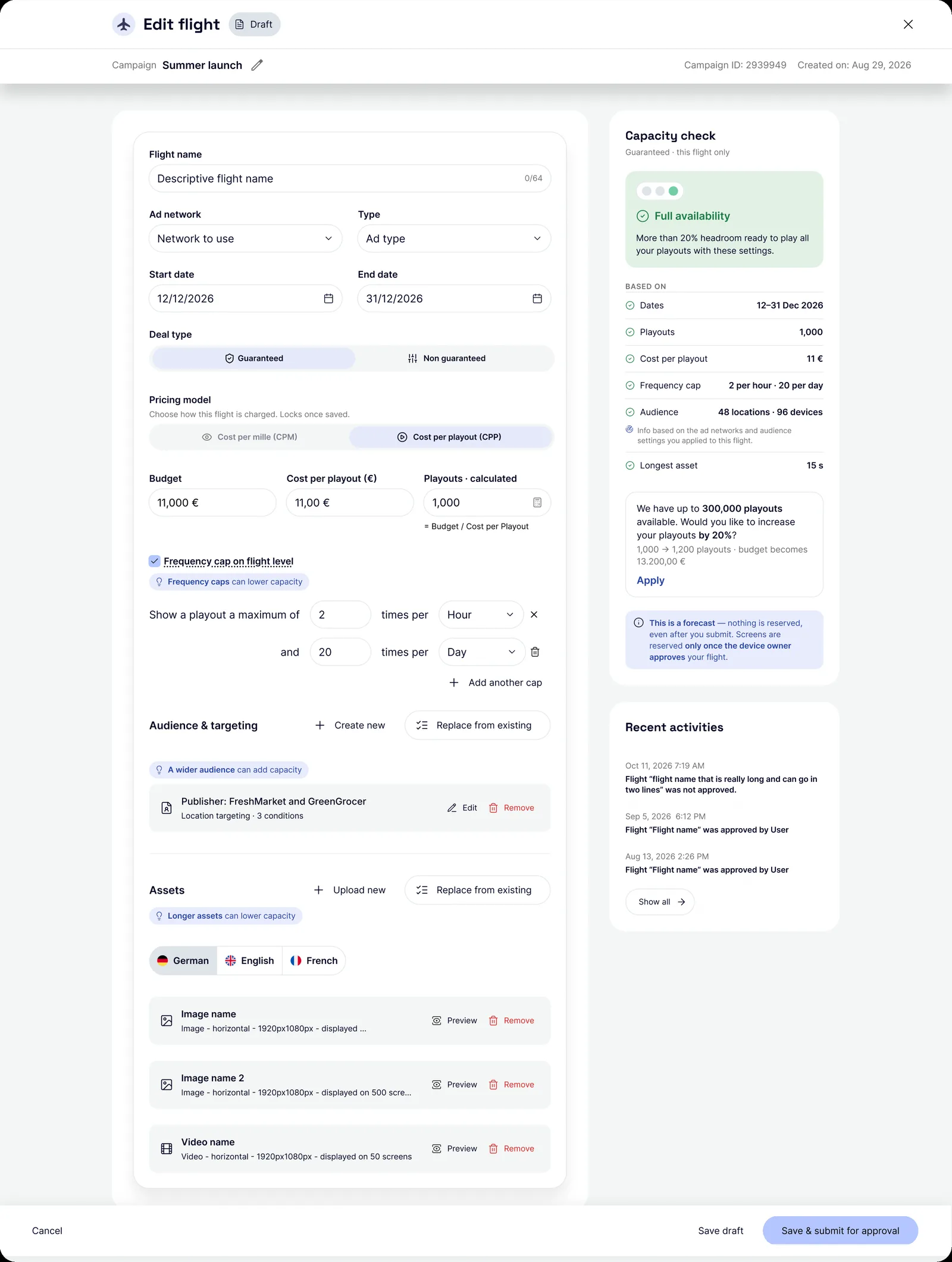
- 1In the flight form, go to Assets and choose the language.
- 2Fill more than one slot. Each slot is one ad format, and it takes one asset.
- 3Use Preview to check each asset. All of them have to work on their own, because you don’t control which one a shopper sees.
 123
Fields and rules
- No weights and no order. You can’t make one asset play more often, or play assets one after the other.
- Not an A/B test. The assets don’t reach comparable groups of devices, and the choice is random for each playout. Don’t use the results to decide which asset works better.
- Don’t tell a story in parts. A shopper can see asset 2 without asset 1. Each asset has to carry the whole message.
- The frequency cap counts the flight. All assets of a flight add to the same count on a device. Three assets don’t give you three times the cap. See Frequency cap.
- One price for all assets. Budget, price and delivery belong to the flight, not to the asset.
- The longest asset counts for capacity. For a guaranteed flight, the Capacity check uses the Longest asset for the length of a playout, whichever asset plays.
- Need control? To give an asset its own budget, dates, cap or audience, put it in its own flight.
Related
- Glossary: Asset, Playout, Flight
- How-to guides: Upload an asset, Book a guaranteed flight, Book a non-guaranteed flight
- Feature pages: Ad formats and asset specs, Asset languages, Frequency cap