

Understand campaigns and flights
A campaign is a folder. The flights inside it are where you set up how your ads run.
What’s a campaign?
A campaign works like a folder. You give it a name and put your flights inside.
You don’t set a budget or dates on the campaign itself. In the campaign list, its row simply adds up its flights, for example the total budget spent across all of them.
What’s a flight?
A flight is where you set up how your ads run. You personalise each flight: who it targets, where, on which ad networks, with which visuals and when.
Each flight has its own budget. It can hold several visuals at the same time. On each device they are played out at random, not in a fixed order.
Why several flights?
Splitting a campaign into flights gives each part its own settings. And it makes it easy to follow the results of each part on its own, while everything stays in one campaign.
Each flavour sells best to different shoppers, in different places. So the brand personalises each flavour’s ads: their own stores, visuals and budget.
Campaign status: a summary of its flights
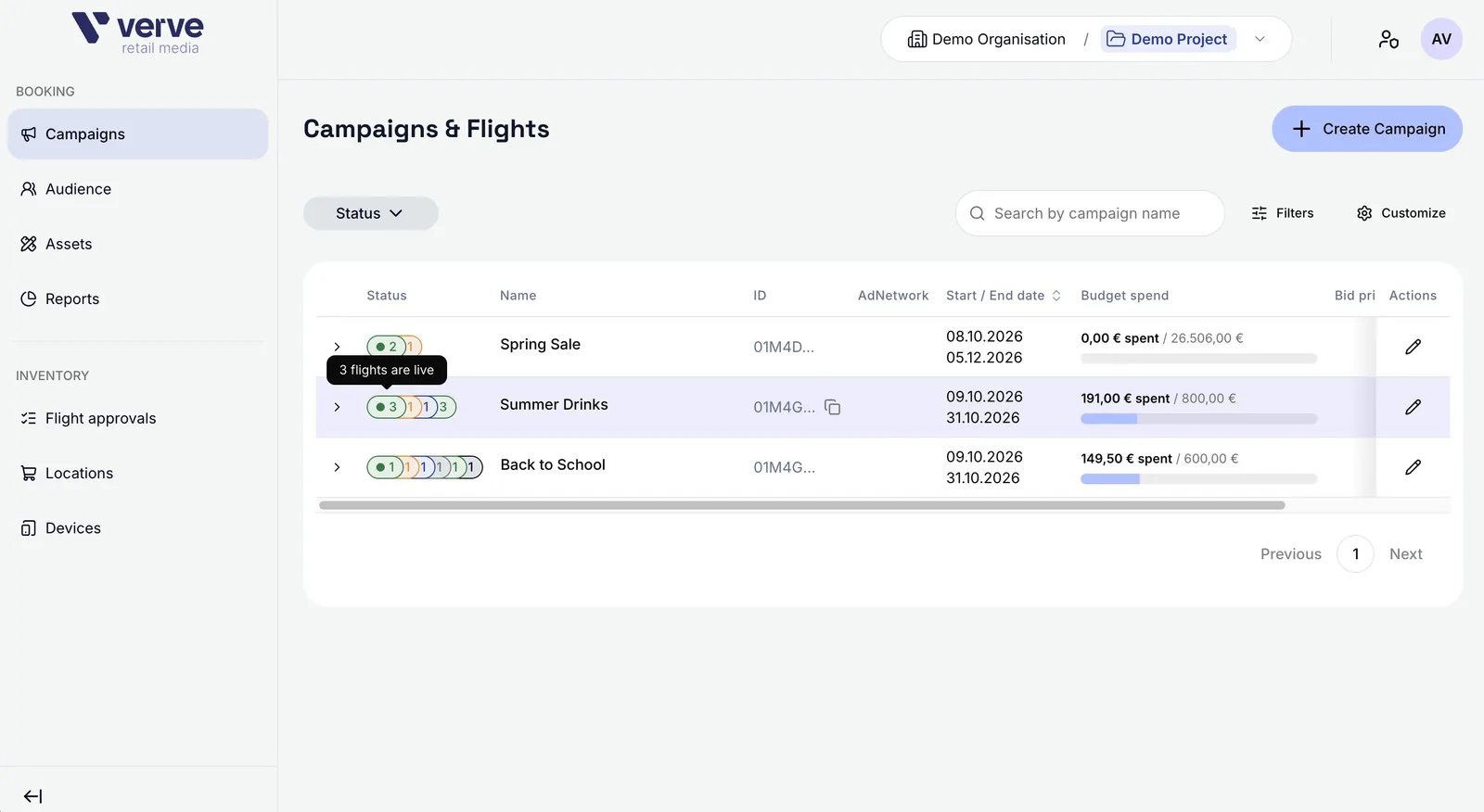
Because a campaign holds several flights, it can show several statuses at once, one chip for each status its flights are in.
- 1Each chip is one status and the number of flights in it. Hover a chip to read it, for example 3 flights are live.
- 2Click › next to a campaign to see its flights. Click a flight to open its Overview.
 12
Open a campaign to see its flights
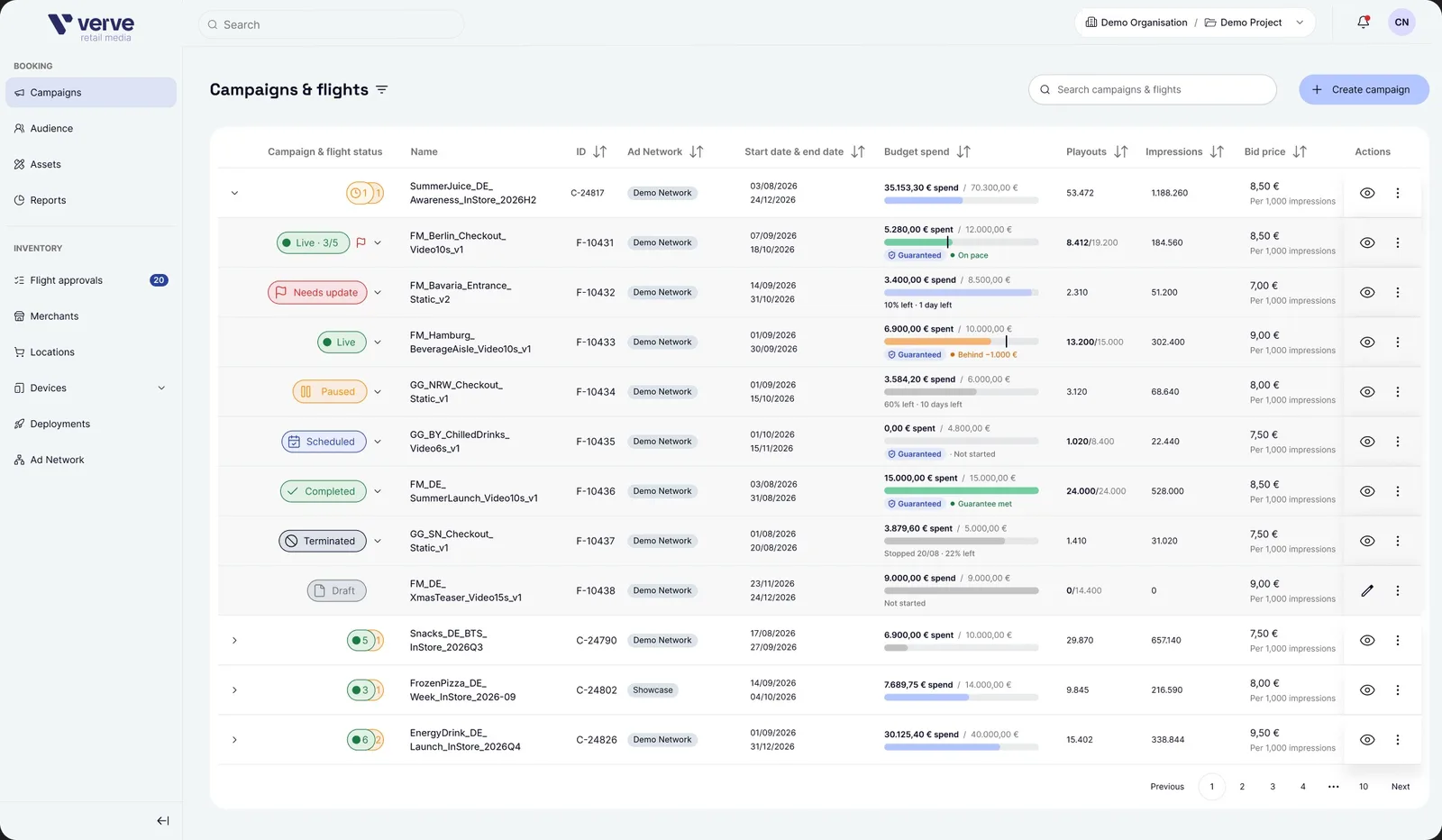
Each flight row has its own status. Here’s a campaign with flights in every status:
 12
1 The campaign’s status chips 2 The status of each flight
What each status means
| Live | Running on at least one partner’s devices. |
| Scheduled | Approved by at least one partner and ready to start on a future date. |
| In review | Sent to partners for approval to run on their devices. Not running yet. A red flag next to the chip means that a partner asked for changes before the flight can run on their devices. Hover the flag to read A partner has requested changes. |
| Paused | Temporarily not running. Can be resumed. Also shown when a flight uses up its whole budget before its end date. |
| Error | Not running on any device because of an error. |
| Draft | Not yet sent to partners for approval. Can be edited any time. |
| Completed | Reached its planned end date. Can’t be edited anymore. |
| Terminated | Stopped manually. Can’t be edited anymore. |
Flight status and partners
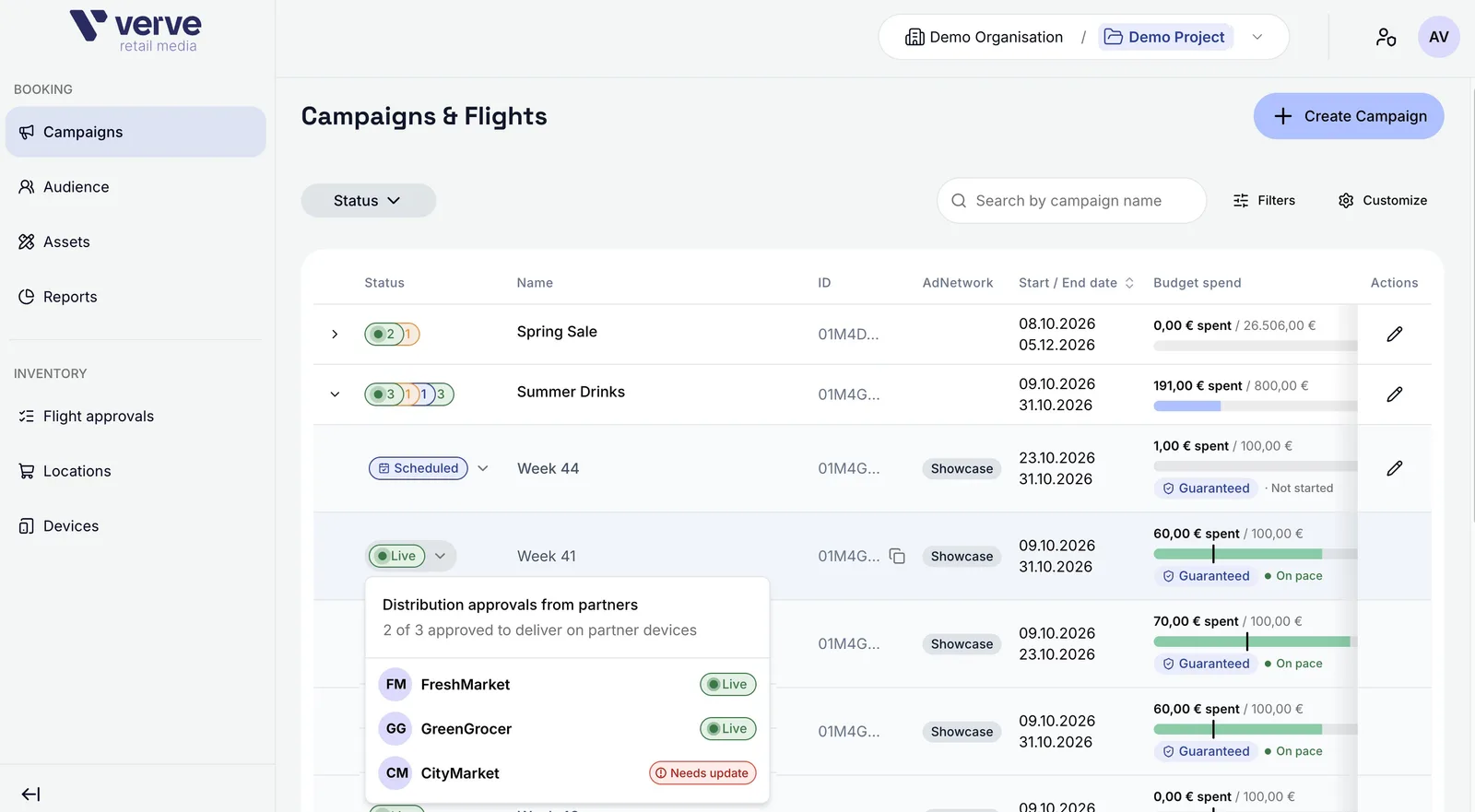
A flight runs on the devices of several partners, and each partner decides on their own whether to approve it. So one flight can be Live with one partner and still In review with another. A red flag next to In review shows that a partner asked for changes.
- 1The flight’s status. Click it to see each partner’s decision. When a flight is live with several partners, the chip also shows how many approved, for example Live · 2/3.
- 2Distribution approvals from partners: how many partners approved, and the status with each one.
 12
How partners approve flights: Approve a flight.